Olive: Health & Wellness App
A responsive mobile app designed to help users log medical information, track sleep, and set wellness goals, with a focus on accessibility and reducing cognitive load.
Project at a Glance
Olive is a health and wellness app created as the capstone project for CareerFoundry's UX Design program. The goal was to design a mobile-first experience that gives users meaningful control over their health data: from tracking medications and meals to monitoring sleep and daily activity, all within an interface built around accessibility and low cognitive overhead.
A Fragmented Health Experience
People managing chronic conditions or simply trying to build healthier habits often rely on multiple disconnected apps: one for sleep, one for nutrition, another for medications. This fragmentation creates friction and makes consistent tracking feel like work rather than support.
The challenge was to design a single, unified experience that felt approachable for users with varying levels of tech comfort, while meeting WCAG 2.1 AA accessibility standards and keeping cognitive load low enough that users would actually return daily.
Key Design Goals
- Consolidate health tracking into a single, intuitive interface
- Meet WCAG 2.1 AA contrast and touch target requirements
- Minimize cognitive load through progressive disclosure
- Design for users with limited tech experience
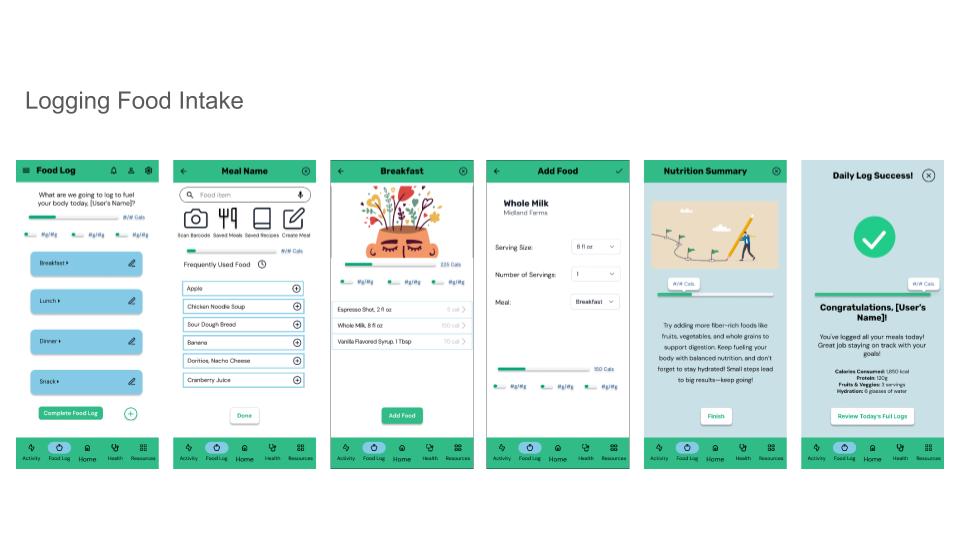
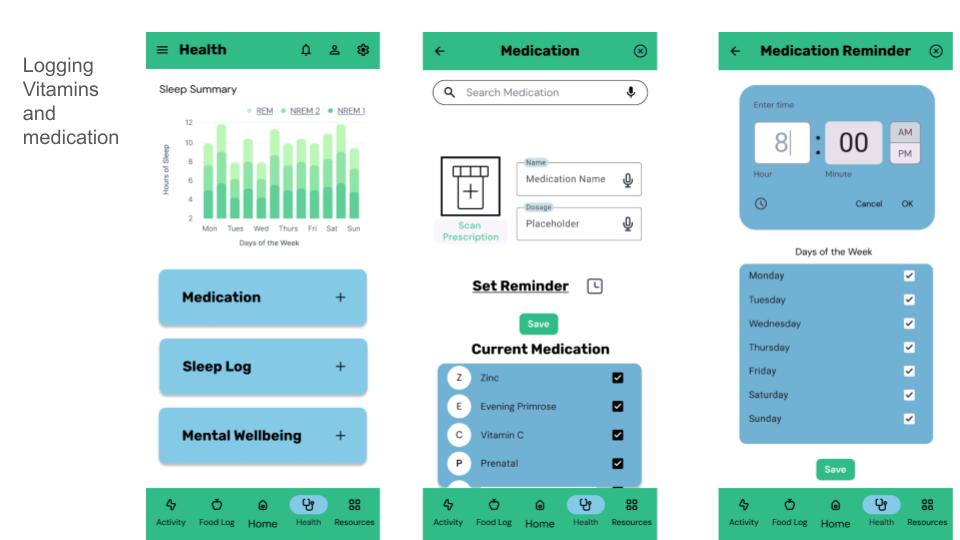
- Support medication reminders and health logging workflows
From Research to Ready
Conducted user interviews and competitive analysis to understand how people currently track their health and where existing tools fall short.
- 5 user interviews
- Competitive analysis (3 apps)
- Affinity mapping
- Persona development
Synthesized research into clear problem statements, user journeys, and information architecture that guided the entire design direction.
- Problem statements
- User journey maps
- Site map & IA
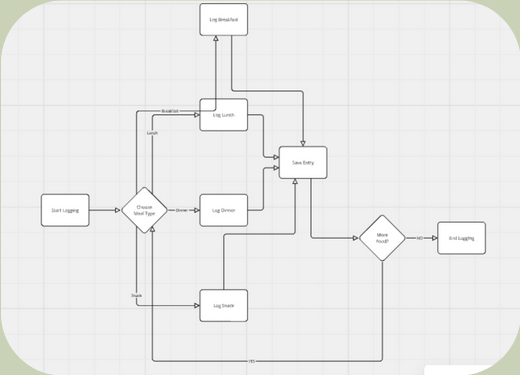
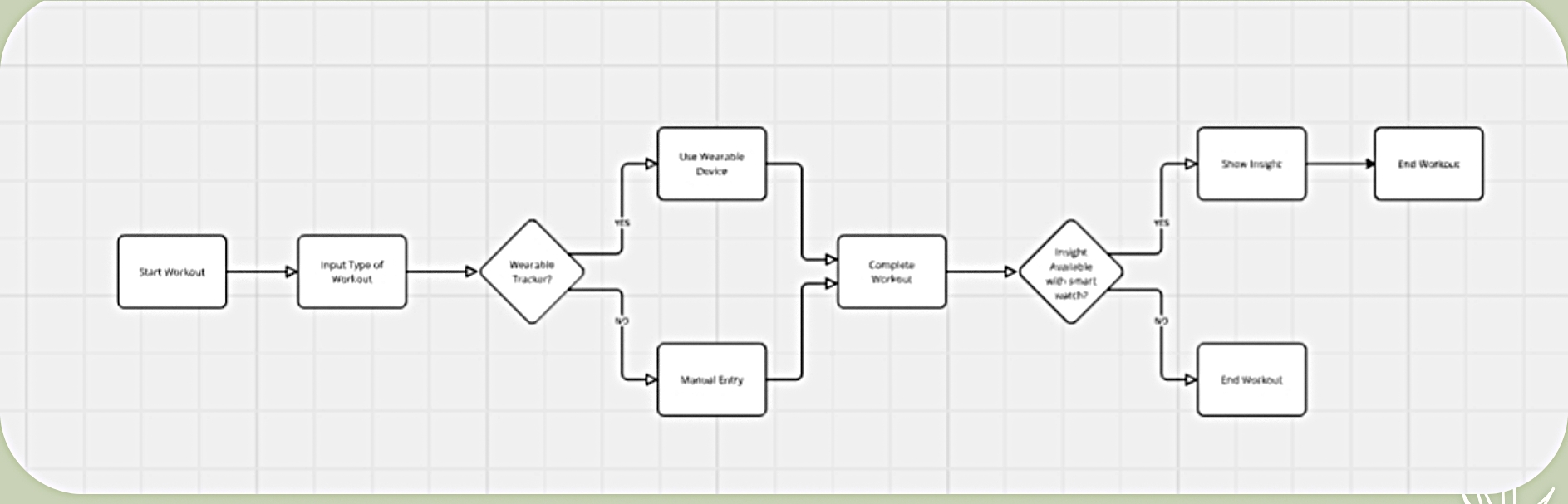
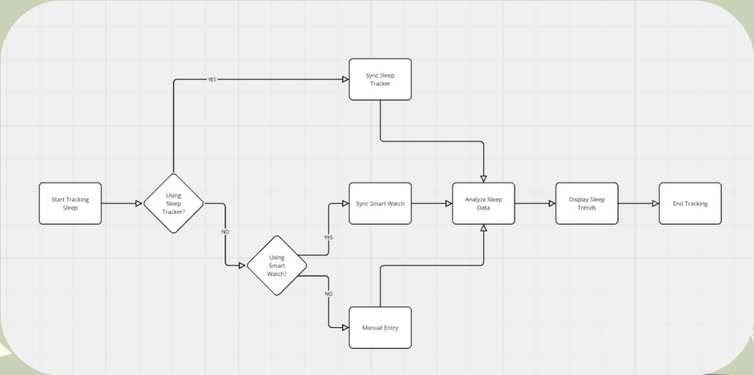
- User flows
Moved from low-fidelity sketches and wireframes to a high-fidelity Figma prototype, iterating on layouts to reduce visual clutter and improve scannability.
- Lo-fi sketches
- Wireframes (mid-fi)
- Hi-fi prototype in Figma
- Accessibility review
Ran moderated usability tests and gathered feedback to identify pain points, then iterated on the design to address them before final delivery.
- Moderated usability tests
- Affinity analysis of feedback
- Design iteration cycles
- Final prototype handoff
Mapping the Key Journeys
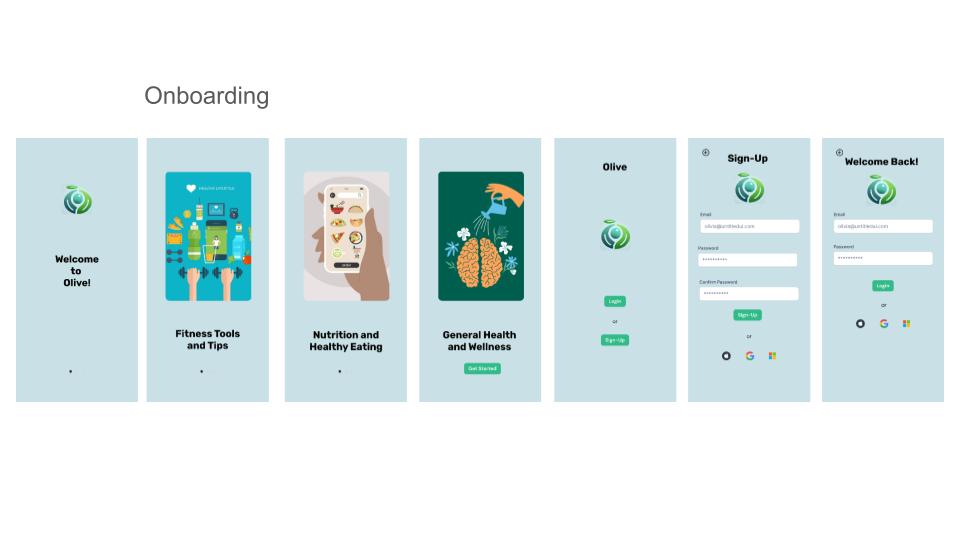
Final High-Fidelity Screens
What We Achieved
Designed a cohesive design system in Figma covering typography, color, spacing, and component states for full handoff readiness.
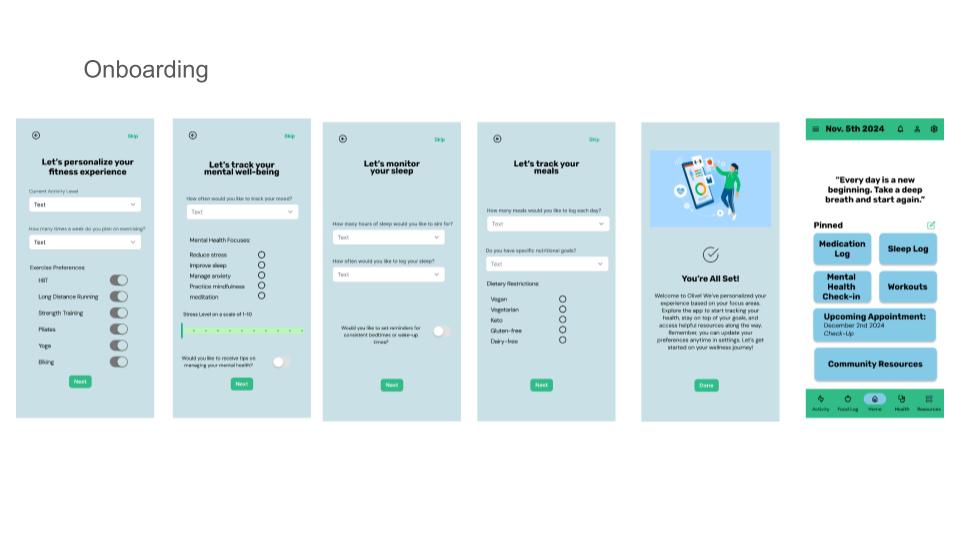
Iterated on onboarding flow after usability testing revealed users wanted to see value before committing to account creation.
Received distinction-level feedback from CareerFoundry mentors for thoroughness of research documentation and prototype fidelity.
Ready to Work Together?
Let's design experiences that are thoughtful, accessible, and built around your users.